Showing posts with label S60 5th Edition. Show all posts

25 March 2010

Nokia Ovi Guide magazine - Top apps and games reviewed

Nokia Ovi MagazineNokia releases first issue of its new Nokia Ovi Guide magazine. In this release you will read about:
  • Ovi features like Mail, Share, Contacts, Music, Files
  • App reviews
  • Game reviews
  • Nokia recommendations
  • Social networking and location-based apps which you can find in Ovi Store
Some apps which were covered:
Social networking - Gravity a mobile twitter client, Fring - a VoIP app, BuddyCloud, ShoZu - mobile content uploader and Nimbuzz - multi IM networks client.
Location-based apps - PinPoints, Endomondo Tracker, Dad's Cab, Near Here, I Parked Here.
Also were covered MobNotes, Vringo, Qik, Shazam, Twittle and much more. So, don't wait, rush to read this guide in Ovi world.


19 October 2009

Where to find Ovi store app and games reviews

Where to find Ovi store app games and movies reviews Today Ovi Store is the great place to find free apps, games and multimedia content for your Nokia devices. But description of apps in store is really short, and you can't get enough screenshots. Don't worry, Nokia now has a blog with reviews of the best content in Ovi store. MyDailyApp blog publish every day a new review of app or game or other store content. They mostly pick free and the best content in the store. Go there and start browsing for new free apps and games for your Nokia device.

26 May 2009

How to use Ovi store on Nokia phone

How To Install Nokia Ovi free themes apps games on Device Today Ovi Store has officially opened for users worldwide. Millions of people with Nokia devices now can benefit from tons of free and premium content. This service available for more than 50 Nokia S60 and Series 40 devices right now. But how to open and use Ovi Store on your phone? This is really easy - just select the Ovi Store icon in the Download folder on your device and open the Ovi Store page. Or you can get to the Ovi Store by visiting store.ovi.com with your phone web browser. There you can login to your account and start downloading apps to your phone. I will post my first impressions of this service soon.

05 February 2009

Nokia 5800 error "Expired certificate" solution

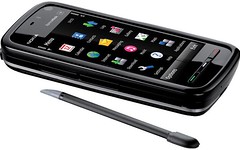
Nokia 5800 certificate expiredNokia consumers report the Nokia 5800 Express Music phones with touch screen got a software bug in installation software. This bug prevents you from installing any Symbian signed or developer singed sis packages with applications. You always got "Expired certificate" error message. For self-signed applications installation process finished successfully. This happens probably because of new Symbian S60 5th Edition software running on Nokia 5800. On some user forums people find a solution to solve this issue.

The main action you have to do is to reset your phone's software to manufacturer state via key sequence *#7370#. Device ask you to enter lock code, it should be 12345. But you can backup all your data before this action with Nokia PC Suite and restore it after resetting software.
Also it's better to update phone's firmware to latest version (to check version number press *#0000#) because in older versions you may still got "Expired certificate" error message sometimes later.

That's it! Now you can install any application you want, even developed for older S60 3rd Edition devices like Fring, Google Maps, Mobiola, etc.