 Latest Nokia smartphones running Symbian^3 (Nokia X7, N8, E7, C7, C6-01 and more in future) got nice WebKit-based web browser. But, until the big update, announced by Nokia CEO, the best user experience you may get with the new version 10.1 of Opera Mobile browser. However, if you click web link in some application on your phone (e.g. in an preinstalled email client) it's opening in the default Nokia "Web" browser.
But in new Symbian^3 OS there is a setting that allows you to change app associated with links. This setting page can be found not only on Nokia phones running Symbian^3 but on some Symbian^1 Nokia devices like 5800, 5530 and N97. This is "Default applications" tab in main Settings menu in your phone. To navigate to this pane follow this way Settings -> Application Settings -> Default applications. First Symbian^3 and Symbian^1 devices (e.g. X6, N97 mini) got this pane in new firmware updates. In Symbian^1 phones navigate to this pane this way: Settings->Phone->Application settings->Default application. Here you'll see four Default applications settings: browsing internet, playing music, playing video clips and viewing images. In first setting you can change default browser.
Please note that the first version of Opera Mobile app, which supports this feature, is 10.1. Unfortunately, WRT apps continue to launch Web, even if you click on an web link and open browser. For example, in Nokia's Social Networking app, which is WRT-based, click on a web link in a Facebook message or Twitter tweet will always open it in Nokia Web. Hope this will be fixed in new firmware releases.

 Today
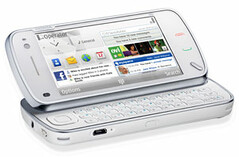 Finally Skype will embed its VoIP application to the Nokia mobile phones running Symbian S60. The first one will be the new N97 device. Moreover Skype software will be available to download onto other Nokia Symbian S60 models. But standalone version is less integrated into address books, messaging and other phone's built-in features. Integrated version of Skype client in Nokia N97 will be able to show when Skype contacts are online, send messages to them, launch free Skype-to-Skype voice calls, and use native phone client to make Skype Out calls.