16 September 2005
ScreenFTP
Did you hear something about this very interesting software ScreenFTP? This is a new concept of transferring information between PC and your phone. This software uses PC’s display and phones camera to transfer data between PC and phone. Speed of this data channel reaches 1.3 Kbps. They have developed this application for Nokia 6600 phone. You can download it from the site and try to use on your phone.

09 August 2005
Full duplex audio on Nokia 6630, 6680
There is first known application "Useful Skype Phone for Nokia 6630, 6680" that uses full duplex audio feature on the Nokia 6630, Nokia 6680 phone.
I hope soon this feature will be at public access to all developers.
I hope soon this feature will be at public access to all developers.
05 August 2005
There is new newsgroup at publicnews.symbiandevnet.com news-server
New group is called discussion.Symbian.Signed. As written in welcome to the group:
"Just as with the other newsgroups on this server, Symbian has created discussion.Symbian.Signed to be a free, public, self-help discussion forum fordevelopers using the Symbian Signed process. Please feel free to post (andanswer!) any questions about Symbian Signed in this group instead of in theother ones on this server. Again, just like the other groups, this forum will beread/monitored by Symbian staff who will respond on a 'best effort' basis to tryand help the community, but we can't offer any *guaranteed* answers in any fixedtime-frame. As usual, however, we will do our best! We will also attempt to turnany questions which arise regularly in to FAQs to help other developers infuture."
news://publicnews.symbiandevnet.com/discussion.Symbian.Signed
"Just as with the other newsgroups on this server, Symbian has created discussion.Symbian.Signed to be a free, public, self-help discussion forum fordevelopers using the Symbian Signed process. Please feel free to post (andanswer!) any questions about Symbian Signed in this group instead of in theother ones on this server. Again, just like the other groups, this forum will beread/monitored by Symbian staff who will respond on a 'best effort' basis to tryand help the community, but we can't offer any *guaranteed* answers in any fixedtime-frame. As usual, however, we will do our best! We will also attempt to turnany questions which arise regularly in to FAQs to help other developers infuture."
news://publicnews.symbiandevnet.com/discussion.Symbian.Signed
04 August 2005
EHeretic - port of the Raven/Id first person shooter game Heretic to the A92x, A1000, Pxxx phones.
Another port of shooter to the Symbian. Main interest to developer - code of the game is open source.
http://home.comcast.net/~stevesprojects/#EHeretic
http://home.comcast.net/~stevesprojects/#EHeretic
symbiancodex.com

There is a new site http://www.symbiancodex.com/ created by Simon Judge. The idea of this site is to create search mechanism through the most of opened code sources for Symbian in public access. Sometimes it's more effective than searching across all of the Internet via Google.
08 July 2005
CEikDialog usage hint
There is a one useful hint. If you use CEikDialog child class and don't want to write all necessary parameters in the resource file thn you can write only desired ones there. And after this you can dynamically specify other parameters of the dialog. In this case shoul be called this functions:
iDialog->PrepareLC(the _Resource_Id);
// manual altering parameter, for exampe iDialog->SetTextL(the_String);
// and then call RunLD function
iDialog->RunLD();
iDialog->PrepareLC(the _Resource_Id);
// manual altering parameter, for exampe iDialog->SetTextL(the_String);
// and then call RunLD function
iDialog->RunLD();
22 April 2005
Common products UIDs
Do you know all the UIDs that you should write in .pkg files to specify application target platform? Here they are:
Series 60
Series 60 v0.9 0x101F6F88
Series 60 v1.0 0x101F795F
Series 60 v1.1 0x101F8201
Series 60 v1.2 0x101F8202
Series 60 v2.0 0x101f7960
Series 60 2nd Edition 0x101f7960
Series 60 2nd Edition + Feature Pack 1 0x101F9115
Series 60 2nd Edition + Feature Pack 2 0x10200BAB
Nokia 3650 0x101F7962
Nokia 6600 0x101F7963
Nokia 6620 0x1020216B
Nokia 6630 0x101F7964
Nokia 7610 0x101FD5DB
Nokia 7650 0x101F6F87
Nokia N-Gage 0x101F8A64
Siemens SX1 0x101F9071
Series 80
Series 80 v2.0 0x101F8ED2
Nokia 9300 0x101F8ED1
Nokia 9500 0x101F8DDB
UIQ
UIQ v2.0 0x101F617B
UIQ v2.1 0x101F61CE
SonyEricsson P80x 0x101F80BE
SonyEricsson P90x 0x101FBB35
Development platforms
Series5mx 0x1000118a
Brutus board 0x10005f60
Cogent board 0x10005f61
Win32Emulator 0x10005f62
WinC 0x10005f63
CirrusLogic 7211 board 0x1000604f
How to add this UIDs in your .pkg files:
Example for UIQ 2.0:
(0x101F617B), 2, 0, 0, {"UIQ20ProductID"}
Example for Series 60 2.0:
(0x101F7960), 0, 0, 0, {"Series60ProductID"}
It is generally preferable to use the Series 60 vX.X UIDs unless your application is only targeted at a very specific phone. Note that there is a known issue in the Series 60 Developer Platform 2.0, Nokia 6600, firmware version 3.42.1 described in
"Developer Platform 2.0: Known Issues", current version of this document you can find here.
UIDs was found here.
Series 60
Series 60 v0.9 0x101F6F88
Series 60 v1.0 0x101F795F
Series 60 v1.1 0x101F8201
Series 60 v1.2 0x101F8202
Series 60 v2.0 0x101f7960
Series 60 2nd Edition 0x101f7960
Series 60 2nd Edition + Feature Pack 1 0x101F9115
Series 60 2nd Edition + Feature Pack 2 0x10200BAB
Nokia 3650 0x101F7962
Nokia 6600 0x101F7963
Nokia 6620 0x1020216B
Nokia 6630 0x101F7964
Nokia 7610 0x101FD5DB
Nokia 7650 0x101F6F87
Nokia N-Gage 0x101F8A64
Siemens SX1 0x101F9071
Series 80
Series 80 v2.0 0x101F8ED2
Nokia 9300 0x101F8ED1
Nokia 9500 0x101F8DDB
UIQ
UIQ v2.0 0x101F617B
UIQ v2.1 0x101F61CE
SonyEricsson P80x 0x101F80BE
SonyEricsson P90x 0x101FBB35
Development platforms
Series5mx 0x1000118a
Brutus board 0x10005f60
Cogent board 0x10005f61
Win32Emulator 0x10005f62
WinC 0x10005f63
CirrusLogic 7211 board 0x1000604f
How to add this UIDs in your .pkg files:
Example for UIQ 2.0:
(0x101F617B), 2, 0, 0, {"UIQ20ProductID"}
Example for Series 60 2.0:
(0x101F7960), 0, 0, 0, {"Series60ProductID"}
It is generally preferable to use the Series 60 vX.X UIDs unless your application is only targeted at a very specific phone. Note that there is a known issue in the Series 60 Developer Platform 2.0, Nokia 6600, firmware version 3.42.1 described in
"Developer Platform 2.0: Known Issues", current version of this document you can find here.
UIDs was found here.
21 April 2005
Using of CErrorUI
Every application need to display errors such as "Out of memory". In this case you need a tool to display it from any point in your code without expencing coding. Symbian has class CErrorUI for it. Here some docs from SDL.
"CErrorUI provides a mechanism for applications to display a standard error message dialog to the user. Typically, this could be used to warn a user about Out Of Memory (OOM) conditions.
CErrorUI displays an error of the form:
context : error text
in a dialog box. The context of the error is usually the application or the subsystem where the error occurred. CErrorUI uses an instance of CTextResolver to derive the error text and error context from the error code. The context may be automatically selected (default) or may be set by the caller from a limited range.
When using automatic context (ECtxAutomatic) be aware the wrong context may be shown. If CTextResolver cannot decide the context from the error code, it may display a blank context or as the previous context that was displayed. The actual context text that is displayed depends on the SDK version used to build the application. For example; the error text for KErrCancel may display as 'System : System Error' or 'General : System Error'.
Utility class to display error notes by applications. This is the default error display class to be used by applications. The features of the class are: maps given error to error text to be displayed displays error note using timed, global note does not display error if it is already "on" offers a reference to internal TextResolver instance Usage (typically as instance variable)
iErrorUI = CErrorUI::NewL(); // iCoeEnv can be given as argument, no need to that though
// ... some code causing an error ...
if ( err != KErrNone )
iErrorUI->ShowGlobalErrorNoteL(err); "
Note that you need link your app to commonui.lib to use CErrorUI.
"CErrorUI provides a mechanism for applications to display a standard error message dialog to the user. Typically, this could be used to warn a user about Out Of Memory (OOM) conditions.
CErrorUI displays an error of the form:
context : error text
in a dialog box. The context of the error is usually the application or the subsystem where the error occurred. CErrorUI uses an instance of CTextResolver to derive the error text and error context from the error code. The context may be automatically selected (default) or may be set by the caller from a limited range.
When using automatic context (ECtxAutomatic) be aware the wrong context may be shown. If CTextResolver cannot decide the context from the error code, it may display a blank context or as the previous context that was displayed. The actual context text that is displayed depends on the SDK version used to build the application. For example; the error text for KErrCancel may display as 'System : System Error' or 'General : System Error'.
Utility class to display error notes by applications. This is the default error display class to be used by applications. The features of the class are: maps given error to error text to be displayed displays error note using timed, global note does not display error if it is already "on" offers a reference to internal TextResolver instance Usage (typically as instance variable)
iErrorUI = CErrorUI::NewL(); // iCoeEnv can be given as argument, no need to that though
// ... some code causing an error ...
if ( err != KErrNone )
iErrorUI->ShowGlobalErrorNoteL(err); "
Note that you need link your app to commonui.lib to use CErrorUI.
There is no plugin realization for CVideoRecorderUtility on the Nokia 6600 phone
I you think that you can use CVideoRecorderUtility on a Nokia 6600 then you're wrong. There is no any plugin for MMF that implements such functionality. Plugin was added to the Series 60 2.0 Feature Pack 1 phones - Nokia 6620, 7610, 6260 and others.
19 April 2005
New Nokia Developer Newsletter, April 19, 2005
In this newsletter:
Tip of the Week: SMS Data to Your MIDlets
You can catch incoming messages from Midlets even if the MIDlet is not running when the SMS arrives. There is an example: MIDP 2.0: Wireless Messaging API Example MIDP_2_0_Wireless_Messaging_API_Example_v1_0.zip
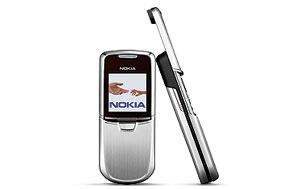
New Nokia 8800 phone
Series 40 Developer Platform 2.0
CLDC 1.1
MIDP 2.0
Nokia UI API Wireless Messaging API (JSR-120)
Mobile Media API (JSR-135)
Bluetooth API (JSR-82 /except OBEX)
Java Technology Wireless Industry rel. 1 (JSR-185)
FileConnection and PIM API (JSR-75)
Mobile 3D Graphics API (JSR-184)
From Java™ MIDP to C++ for Symbian OS
How to migrate in game development from Java MIDP to Symbian C++. The story from from Spoon Interactive Arts of Manila, Philippines. Migrating_SymbianOS_Java_v1_0.pdf, 744 kB.
and more...
Tip of the Week: SMS Data to Your MIDlets
You can catch incoming messages from Midlets even if the MIDlet is not running when the SMS arrives. There is an example: MIDP 2.0: Wireless Messaging API Example MIDP_2_0_Wireless_Messaging_API_Example_v1_0.zip
New Nokia 8800 phone
Series 40 Developer Platform 2.0
CLDC 1.1
MIDP 2.0
Nokia UI API Wireless Messaging API (JSR-120)
Mobile Media API (JSR-135)
Bluetooth API (JSR-82 /except OBEX)
Java Technology Wireless Industry rel. 1 (JSR-185)
FileConnection and PIM API (JSR-75)
Mobile 3D Graphics API (JSR-184)
From Java™ MIDP to C++ for Symbian OS
How to migrate in game development from Java MIDP to Symbian C++. The story from from Spoon Interactive Arts of Manila, Philippines. Migrating_SymbianOS_Java_v1_0.pdf, 744 kB.
and more...
12 April 2005
New article about Bluetooth Symbian programming on Forum Nokia
Updated document "Symbian OS: Designing Bluetooth Applications In C++ v1.1" provides developers having already existing knowledge of the Bluetooth technology with enough information to develop Bluetooth applications in C++ for the Series 60 and Series 80 Developer Platforms and for the Nokia 7710 using Symbian OS Bluetooth APIs.
This article describe how Symbian OS Bluetooth APIs give applications access to RFCOMM, L2CAP, SDP, and HCI.
This is pdf document, size 709.0 KB, direct link here.
Forum Nokia also have some good examples about using Bluetooth on Symbian. Another good example can be found in the sources to the book "Developing Series 60 Applications" available from here.
This article describe how Symbian OS Bluetooth APIs give applications access to RFCOMM, L2CAP, SDP, and HCI.
This is pdf document, size 709.0 KB, direct link here.
Forum Nokia also have some good examples about using Bluetooth on Symbian. Another good example can be found in the sources to the book "Developing Series 60 Applications" available from here.
11 April 2005
Remote access to PC from Symbian smartphone
Not everybody knows that you can control your PC remotely via GPRS Internet connection directly from your Symbian smartphone. There are some applications which allow you to do that. The one of most popular is ActiveViewer with support of VNC protocol. ActiveViewer is written on Java MIDP and has been ported to many devices.
Subscribe to:
Posts (Atom)